
You’ve just posted your latest photo or Reel, your masterpiece, your favorite shot, or a Reel that took hours to perfect. Likes start popping, a few comments roll in… but there’s that nagging question you can’t shake: how can I see who saved your Instagram post?
That tiny bookmark icon is more than just a symbol; it’s a secret window into who truly values your content. Is it a loyal fan, a friend silently cheering you on, or someone inspired by your creativity?
In this guide, you’ll discover clever strategies, expert tips, and creative insights to help you get closer to discovering who bookmarked your Instagram post.
Consider that Many users use Instagram downloader tools to analyze their popular content so they can save, review, and get inspiration for new ideas and our ucmini tool is the best one.
How to Save Instagram Posts?
Before exploring who saved your Instagram post details, it’s important to understand the Instagram saved feature itself. Understanding how saved posts function helps you track engagement effectively.
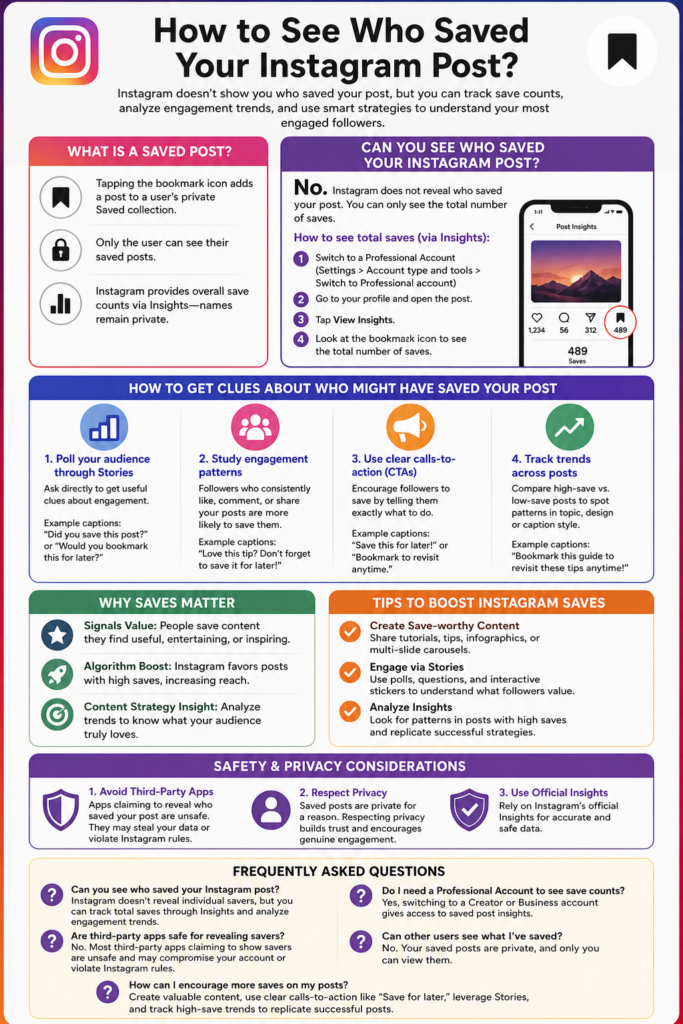
- Tapping the bookmark icon adds a post to a user’s private Saved collection.
- Only the user can see their saved posts.
- Instagram provides overall save counts via Insights, showing how popular your post is without revealing names.
Can You See Who Saved Your Instagram Post?
No, Instagram does not allow you to find out who saved your Instagram post. Unlike likes, where you can view the list of accounts, saves remain private. What you can do instead is check who bookmarked your Instagram post indirectly by looking at the numbers rather than the usernames.
To access this data, you need to switch to a professional profile. Once you set up an Instagram business account insights tool, you can view Instagram save analytics. Here’s how:
- Open Instagram and go to your profile.
- Tap Settings and privacy.
- Select Account type and tools, then switch to Professional account.
- Choose a category and confirm your setup.
After switching, you’ll be able to see the total number of saves on any post:
- Go to your profile.
- Tap on the post you want details for.
- Click View Insights.
- Look at the bookmark icon to see how many times it was saved.
Notes:
- Personal accounts cannot see saves.
- Saves are a key engagement metric, often more valuable than likes.
Read more: Also, using the right hashtags is very important to attract real likes and followers. By reading the Best Instagram Hashtags for Likes & Followers in 2026, you can find hashtags that will reach your content to your target users and drastically increase engagement rates.
How to Ask Your Followers Directly If They Have Saved Your Post?
Even though Instagram doesn’t allow you to see who saved your Instagram post, you can use creative methods to get insights about your most engaged followers.
By observing engagement patterns, encouraging interaction, and analyzing trends, you can make educated guesses about which followers are likely saving your content and understand what resonates most with your audience:
- Poll your audience through stories.
Asking directly can give useful clues about who is engaging with your content and might have saved your posts.
- Example: Post a screenshot of your post in your Story and ask their opinions.
- Captions: “Did you save this post?” or “Would you bookmark this for later?”
- Study Engagement Patterns
The other method is to guess and see who saved your Instagram post. Regular interaction often indicates interest in saving content.
- Example: Followers who consistently like, comment, or share your posts are more likely to save them.
- Captions: “Love this tip? Don’t forget to save it for later!” or “Bookmark this post so you can come back anytime!”
- Include Clear Calls-to-Action (CTAs)
In order to find out who favorited your Instagram post, encouraging followers increases the chances of saves.
- Example: Writing clear instructions in your captions helps followers know they can save the post for future use.
- Captions: “Save this for later!” or “Bookmark to revisit anytime.”
- Track Trends Across Posts
Comparing posts helps identify what resonates most with your audience, and this is one of the other practical ways to see who saved your Instagram post:
- Example: Analyzing posts with high saves versus low saves helps you spot patterns in topic, design, or caption style.
- Captions: “Bookmark this guide to revisit these tips anytime!” or “Save this post to keep these ideas handy for later!”
The Importance of Tracking Saved Posts on Instagram
Your Instagram save count shows what your audience values most. High post saves can boost reach and engagement, making them a key part of your Instagram engagement metrics.
Key points:
- Signals Value: People save content they find useful, entertaining, or inspiring.
- Algorithm Boost: Instagram favors posts with high saves, increasing reach.
- Content Strategy Insight: Analyze trends to know what your audience truly loves.
How to Understand Your Instagram Save Rate
Knowing your total number of saves is useful, but the raw number does not tell the whole story.
A post with 50 saves might look less successful than one with 200 saves, but that depends on how many people actually saw each post. A better way to evaluate your content is to compare saves with the post’s reach.
Use Save Rate Instead of Looking Only at Save Count
A simple way to calculate your save rate is:
Save Rate = Saves ÷ Reach × 100
For example, if a post reached 5,000 accounts and received 100 saves:
100 ÷ 5,000 × 100 = 2% Save Rate
This gives you more context than looking at the number 100 by itself.
You don’t need to treat a particular percentage as a universal “good” or “bad” score. Instead, compare your posts against your own previous content and look for patterns.
Compare Similar Posts With Each Other
The most useful comparisons are usually between posts that have a similar purpose.
For example, compare:
-
Tutorial carousel vs. tutorial carousel
-
Educational Reel vs. educational Reel
-
Checklist post vs. checklist post
-
Inspiration post vs. inspiration post
This can help you discover what your audience considers worth coming back to.
A post with many likes but very few saves may have attracted attention without providing much long-term value. Another post with fewer likes but a strong save rate may be more useful to your audience.
Neither result is automatically better. They simply tell you different things.
Look for Patterns in Your Most-Saved Content
Instead of asking, “Who saved this post?”, ask:
“Why did people want to save it?”
Look at your posts with the strongest save performance and compare their:
-
Topic
-
Format
-
Length
-
Design
-
Level of detail
-
Practical usefulness
-
Caption and CTA
You may find that your audience saves step-by-step tutorials, checklists, reference guides, templates, or information they expect to need again.
That insight is much more useful for your content strategy than knowing the usernames of individual savers.
Turn Save Data Into Your Next Content Ideas
Once you identify a pattern, use it to plan future posts.
For example, if your how-to carousels consistently receive more saves than your promotional posts, create more practical guides. If checklist-style content performs well, turn related topics into downloadable-style reference posts or easy-to-save carousels.
A simple content loop looks like this:
Publish → Measure Saves → Find Patterns → Create More Useful Content → Measure Again
The goal is not to chase a specific save number. The goal is to understand what makes your audience stop scrolling and think, “I’ll need this later.”
Tips to Boost Instagram Saves
To increase the number of saves on your Instagram posts, focus on creating content that is valuable, engaging, and easy to revisit. These strategies can help encourage followers to save your posts more often and boost overall engagement.
- Create Save-worthy Content: Share tutorials, tips, infographics, or multi-slide carousels.
- Engage via Stories: Polls, questions, and interactive stickers hint at which followers value your content.
- Analyze Insights: Look for patterns in posts with high saves and replicate successful strategies.
Read more: To manage your Instagram presence professionally, it’s not enough to just post; you need to know when and how to post content to get the most engagement. If you’re looking for a detailed plan, our article What Is the Instagram Content Schedule provides a complete guide to scheduling posts and stories.
Safety and Privacy Considerations
While it’s exciting to know who saved your posts, it’s important to prioritize the privacy of saved posts on Instagram. Instagram’s privacy rules are designed to protect users and keep engagement genuine. By following best practices, you can grow your account without compromising security.
Key tips:
- Avoid Third-Party Apps: Apps claiming to reveal who saved your Instagram post are unsafe. They often request your Instagram login, and they can compromise your account or violate rules.
- Respect Privacy: Saved posts are private for a reason. This builds trust and encourages engagement without fear of exposure.
- Use Official Insights: Rely on Instagram saved post insights for accurate and safe data.
Also read: If you want to have full control over the audience of your stories, be sure to check out the best ways to hide your Instagram stories from everyone and how you can easily maintain your privacy.
Conclusion
Understanding your Instagram post saves isn’t just about satisfying curiosity; it’s about learning what your audience values and creating content they can’t resist saving.
By tracking saves, analyzing engagement trends, and using creative strategies, you can grow your account, boost interaction, and keep followers coming back for more. Focusing on why content is saved, not just who saves it, and you’ll unlock the true potential of your Instagram growth strategy with saves.
Now, tell us! Did the “How to see who saved your Instagram post?” guide help you? Share your thoughts in the comments. Try these tips and tell us which one worked best. Have a tactic we missed? Share it below. Want more Instagram growth secrets? Comment and let us know what you want next.
Can you see who saved your Instagram post?
Instagram doesn’t reveal individual savers, but you can track total saves through Insights and analyze engagement trends.
Do I need a Professional Account to see save counts?
Yes, switching to a Creator or Business account gives access to saved post insights.
Are third-party apps safe for revealing savers?
No. Most third-party apps claiming to show savers are unsafe and may compromise your account or violate Instagram rules.
Can other users see what I’ve saved?
No. Your saved posts are private, and only you can view them.
How can I encourage more saves on my posts?
Create valuable content, use clear calls-to-action like “Save for later,” leverage Stories, and track high-save trends to replicate successful posts.